BehMon

Network documentation

Network documentation that keeps itself current

Spreadsheets and Visio diagrams go stale the day they're saved. BehMon builds the documentation from the network itself and keeps it current with every scan.

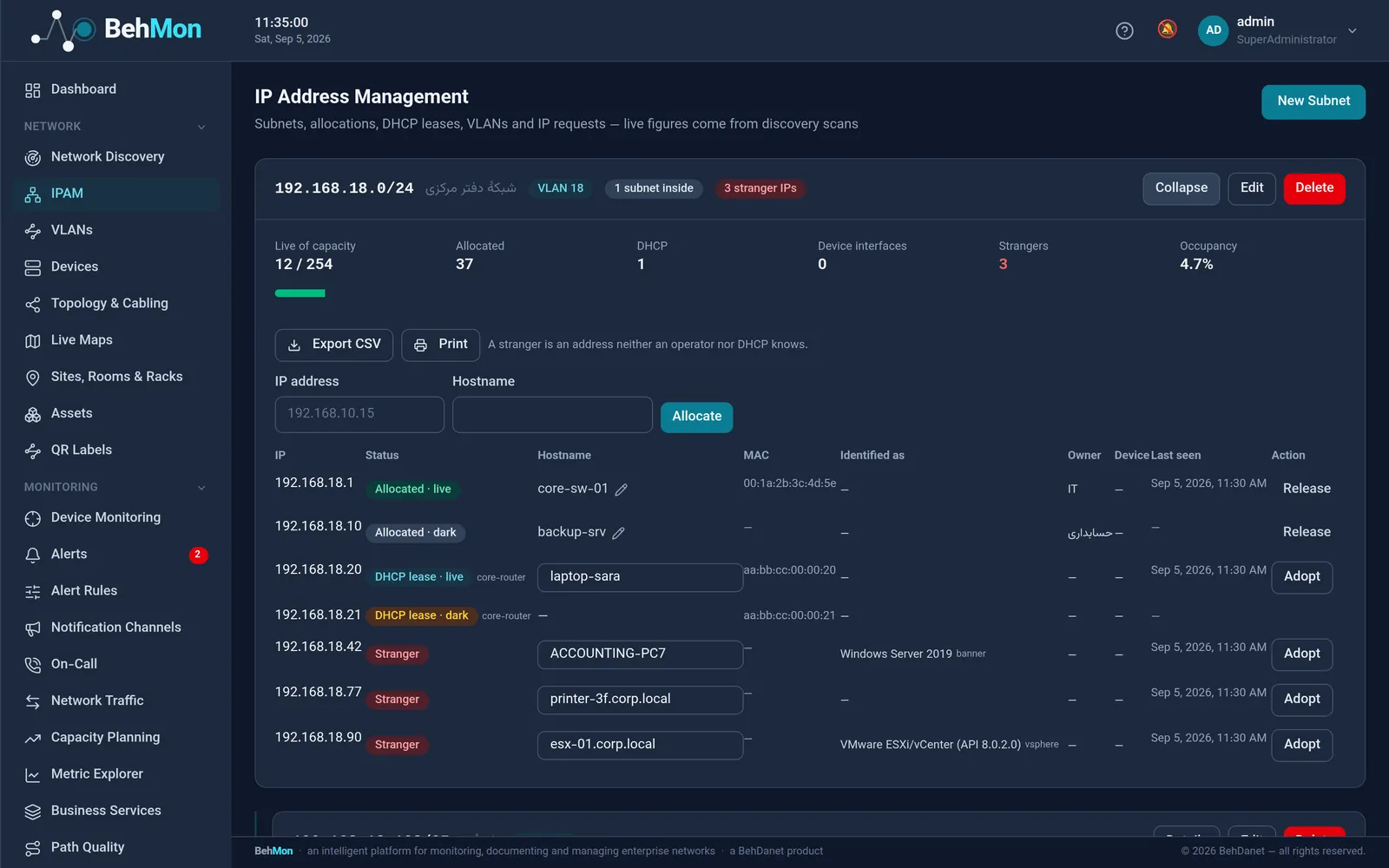
BehMon IP address management with subnets, VLANs and unknown IPs

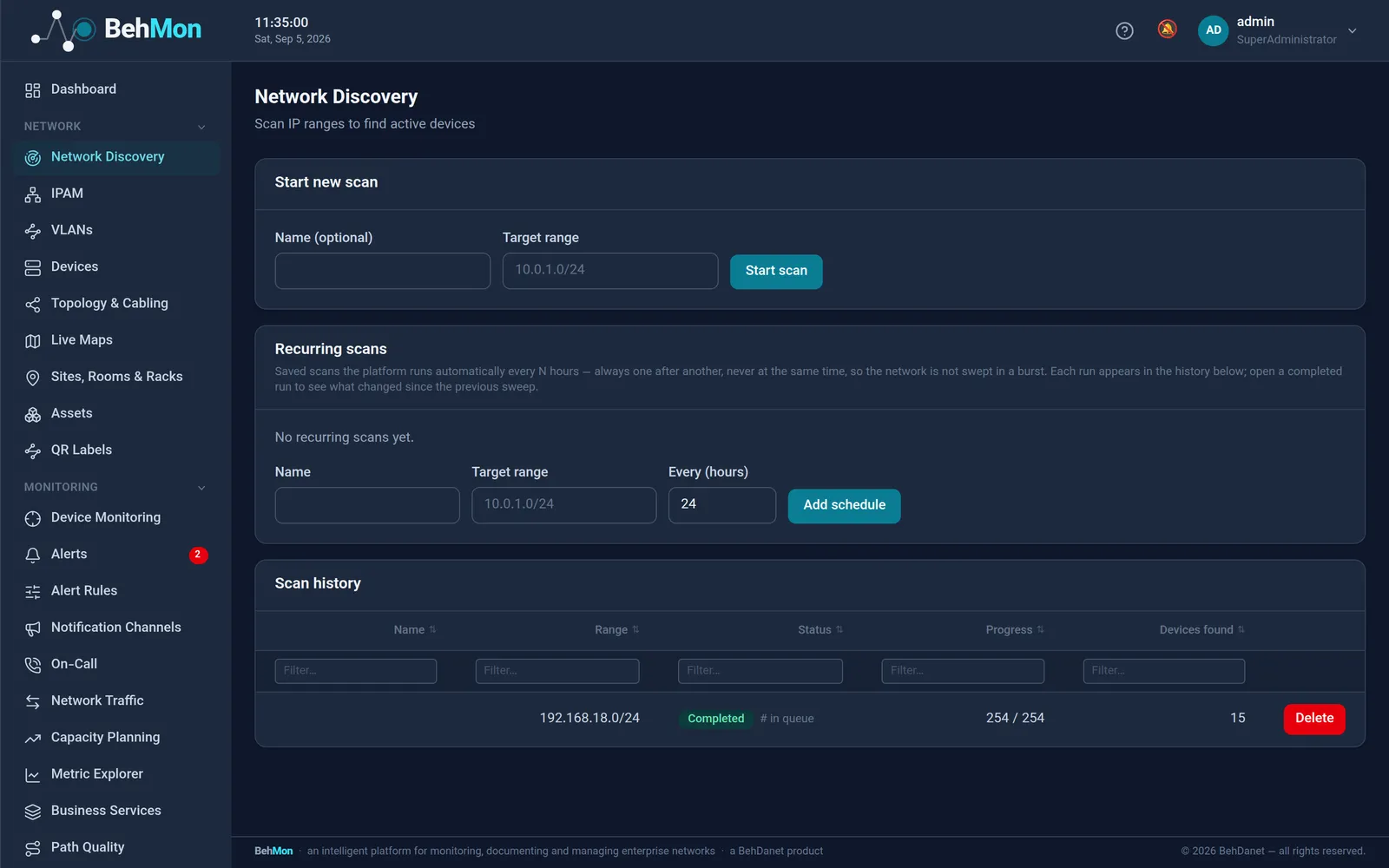
Automatic discovery and change reports

Schedule scans of your IP ranges; BehMon finds live devices, registers them and tells you what appeared or disappeared since the last scan.

  • One scan at a time, the rest queued with their position shown — concurrent sweeps no longer spoil each other
  • Identification asks six questions in order: SNMP sysDescr, the vSphere version document, the TLS certificate, the HTTP Server header and title, the SSH banner, and what the sweep itself inferred — and records which one answered
  • The machine's name, not just its address: the certificate's CN/SAN, HP iLO's xmldata, and SNMP sysName
  • Delta reports: new, missing and unchanged hosts
  • LLDP neighbour discovery with a record of topology changes
Inventory and asset management

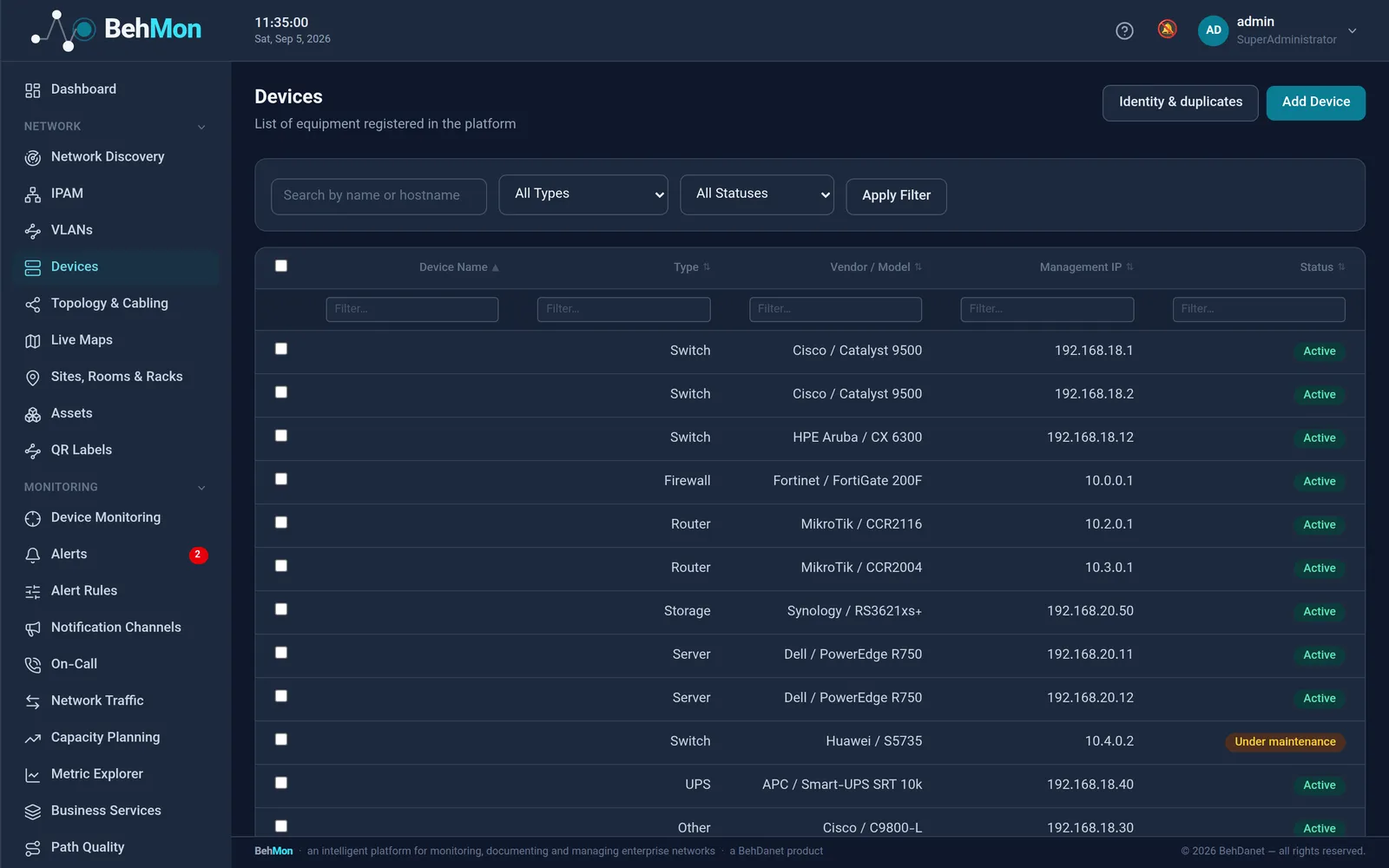
Every device carries its financial and maintenance record alongside its technical details.

  • Vendor, model, serial, firmware, management IP and MAC
  • Purchase date, warranty end, owner and asset number
  • Periodic-check reminders and repair dates
  • An encrypted vault for SSH and SNMP credentials (AES-256)

Sites, rooms, racks and cables

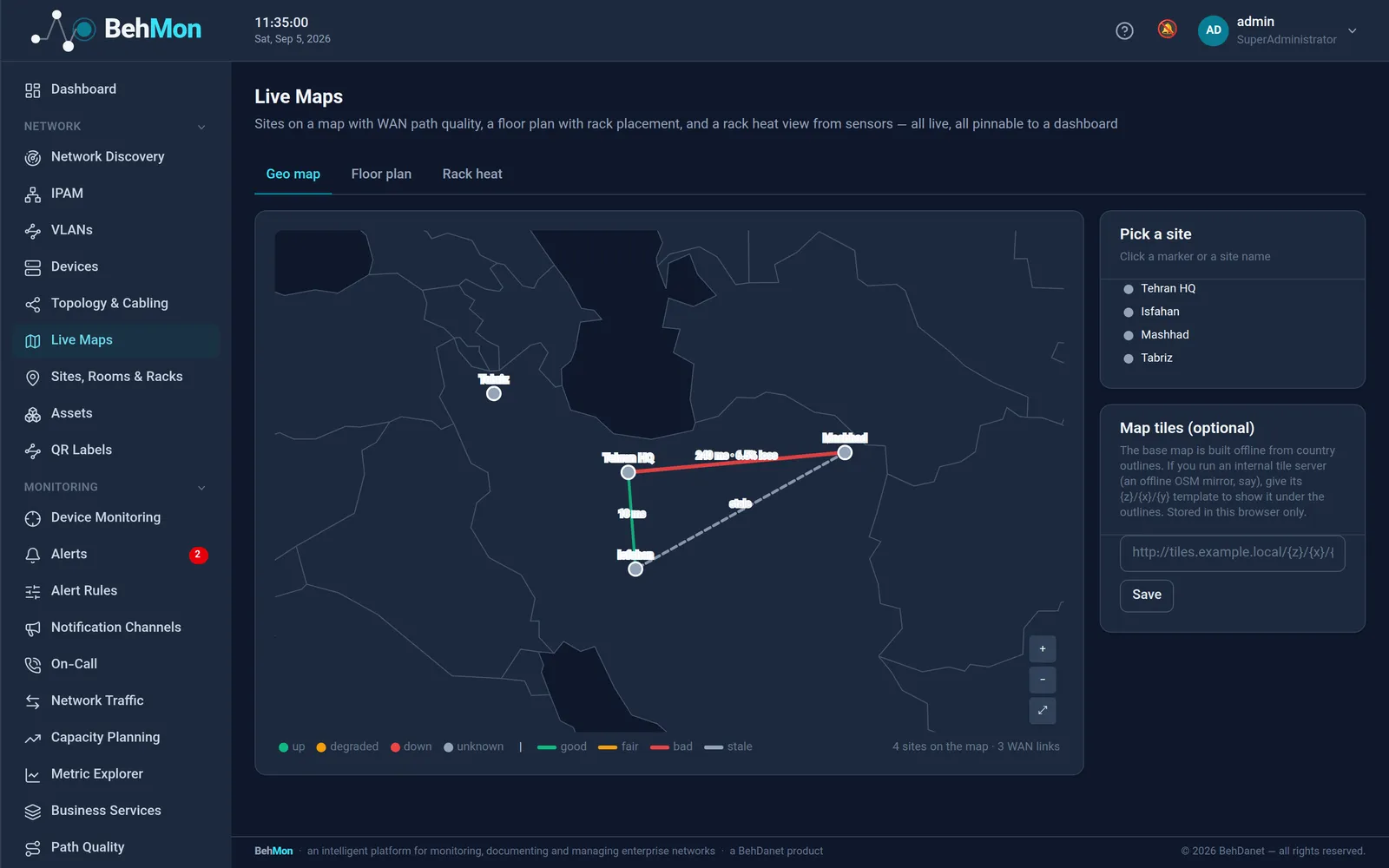
The physical network as it really is, from the map down to each device's rack unit.

  • Rack elevations with unit position and height
  • Floor plans with rack placement
  • Links and cable paths, including patch panels and keystones
  • A live layered topology with link status and utilisation

IP address management (IPAM), VLANs and DHCP

Subnets, allocations and VLANs in one place, with live data from scans, DHCP and the device's own configuration.

  • IPv4 and IPv6 with a subnet tree and occupancy
  • Unknown-IP detection: in use, but neither allocated nor leased
  • IP requests with an approval workflow — and a request can be deleted while its address is not allocated
  • DHCP leases pulled from MikroTik, Cisco IOS, ISC dhcpd, Kea and Windows DHCP, each over one SSH session
  • VLANs and DHCP scopes read out of the device's own running configuration, with no extra traffic to the device — a report to confirm, never a silent write

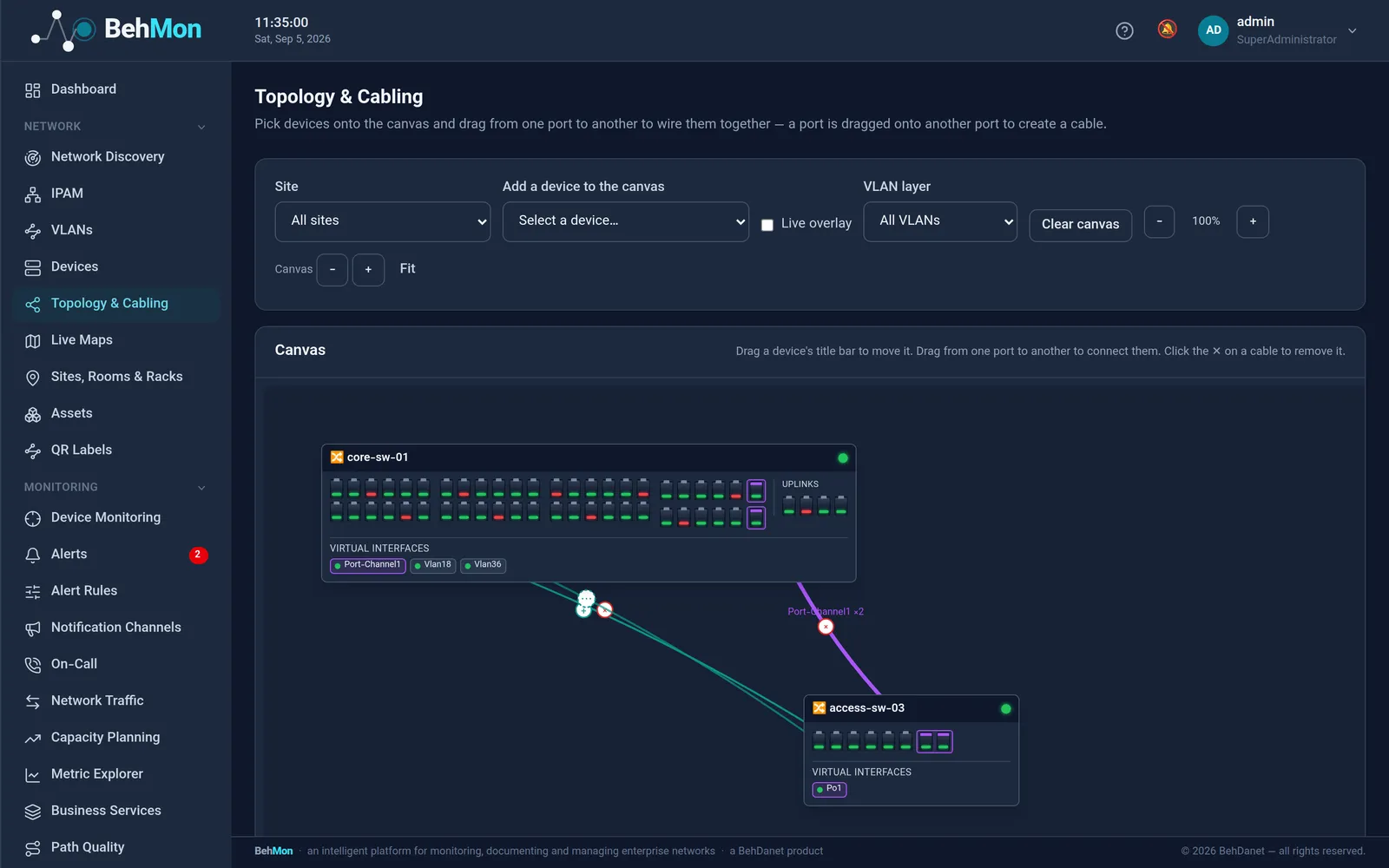
The topology and cabling canvas

Put devices on the canvas and see — and correct — how they are really cabled. Not a decorative diagram: what is actually in the rack.

  • Zoom 40–200%, drag to pan, a canvas that grows and a “fit to content” button; each device's layout is saved and shared by everyone
  • Real faceplates: ports in hardware order, odd over even in two rows past twelve, and virtual interfaces listed below a rule
  • One line per run between two active devices; every passive device in the path is a “+” on that line that opens with a click and folds back with a “−”
  • Insert or remove a patch panel from the canvas itself, in one server transaction
  • Port-channels understood: member ports framed together, each channel in its own colour

Documentation reports, at three levels

The network document with your own letterhead and a standard shape, at the three levels that actually get asked for — HTML, Word and PDF.

  • A letterhead with your organisation's logo, name and colour — the same identity the login page already wears
  • Level 1: the switch-to-switch topology as vector art, laid out by degree; two generations of the same report compare equal
  • Level 2: one page per switch and router with every port, its VLAN, its address, what is cabled to the far end, and its state
  • Level 3: VLANs with the subnets they carry and an arrow to the access list guarding each — a VLAN with no arrow is one nothing filters

QR labels for every device

Print QR labels; a technician scans one and lands on that device's page in the panel.

Reports and exports

Export documentation, inventory and status to PDF or Excel in one click — for audits, project handover or management reporting.

Frequently asked questions

How is this different from documenting in Excel or Visio?

Spreadsheets and diagrams are maintained by people, so they fall behind. In BehMon much of the documentation is built from the network itself — discovery, LLDP, SNMP and DHCP — and every scan reports the differences, so the record keeps matching reality.

Can we import what we already have?

Yes. Devices can be added by hand, by discovery or through the API, and our team helps migrate your existing lists.

See your own network in BehMon

Book an online demo, or install the 30-day trial on your own server. Our engineers will be right there with you.